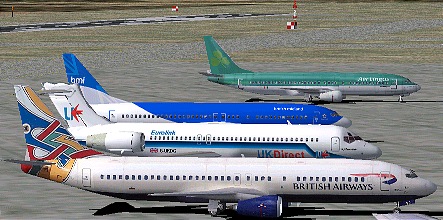
FS Traffic and Traffic Tools
by Mark Greenough
Almost from the day I
first started using FS2002 I found myself lamenting the fact that
Lago's FSTraffic (FST) program wasn't compatible. At first I was
wooed by Microsoft's AI dynamic planes and interactive ATC but I
increasingly found myself yearning for the days when the airports
used to look 'alive'. With FS98/2000 and FST the only maxims on
moving aircraft and vehicles was the size of the airport and how
much video ram you had!
I had been fervently
hoping for a solution to this, praying for the day Microsoft
would get off their laurels and reveal the secrets of the AI
scenery, when along came an innocently looking application
discreetly posted on various resource sites; Lee Swordy's Traffic
Tools.
All the default dynamic
scenery is contained within the traffic.bgl in the
fs2002/scenedb/atc/scenery folder.
Traffic Tools is
basically a DOS based compiler/de-compiler. Lee discovered how
Microsoft had coded the traffic.bgl and his program breaks this
down into 3 text files - 1 for the airports (ICAO code and
location), 1 for the planes and 1 for the routes (great circle
routes only, straight from A to B).
The basic package has
seen a revision - read 'Patch' :) - already and there have been
other developers jumping on board and adding their own front end
Windows utilities.
The last month has seen a
large collection of flight simmers own created AI flights being
posted on the websites; Avsim.com has even given them a separate
heading to their filing system.
Anyway for the last few
weeks I have been tormenting myself aiming to get realistic
looking airports in FS2002. I have had to cope with some software
corrupting and/or deleting my files (I cant stress enough: always
backup your originals!), or losing my last 6 hours work - very,
very annoying, I can tell you.
Then there are the
aircraft themselves - not all a/c are compatible or suitable for
use as dynamic traffic. Unfortunatly most of the aircraft you
have downloaded and installed are not going to look right. If the
a/c was created for an earlier sim or made using the software
designed to make planes for earlier sims then it most likely will
be incompatible. By that I mean most animated parts will not
appear never mind move and some planes will just crash land or
crash on takeoff. I havent witnessed any crashing (would've been
interesting) but I have seen plenty of planes float and glide
about like Luke's Speeder on Tattooine. GMAX is a
commercial 3D modeling tool which has been supplied with FS2002
and was used to make the default aircraft.
If any given plane was
made and animated using GMAX then it will most likely be
compatible, at this time most of our fleet are designed for
FS2000 (or earlier) and are not compatible - unless you are
willing to accept the replusor-lift modifications :)
I was working on
re-creating our timetable for use as dynamic traffic but came up
against Microsoft's limitations which make it impractical. What I
am doing instead, is adding our routes to the dynamic scenery,
but having to accept that the times will be wrong (flights will
become more regular!).
The ATC identifies our
planes by registration because 'UK Direct' is not in its
vocabulary!
If this has you
interested then lookup these....
ttools12.zip by
Lee Swordy. 233kb this file is essential and the accompanying
text files explain everything clearly - payware developers take
note.
aishuffler07.zip
by Elijahu Litvak 430kb. This neat little program is the easiest
and simplist way to change all those American callsigns and N
numbers to appropriate regional equivalents.
Its all automatic but you
can edit it as you see fit. The more varied aircraft types and
airline liveries you have installed the better this works. I
found using the program easy enough but the manual (translated)
hard going - it made more sense after playing with the
software.
If your looking for
compatible aircraft the best way is to search for the words
GMAX, G-MAX, or 'default' at all the usual suspects. http://www.avsim.com http://www.flightsim.com
The following site by Tom
Woods has many repaints of the default aircraft and all will work
perfectly, (and as a bonus for those people interested in the BAe
systems Jetstream there is a page all about them too plus a
decent model to download - and yes, its built with GMAX!)
Back to March News